Working with easo
Less effort with every document. More confidence in every document.
With easo your team writes procedures that always look alike and are easy to follow, releases them with signatures and presents them as a clean PDF — with tools you don't have to learn first.
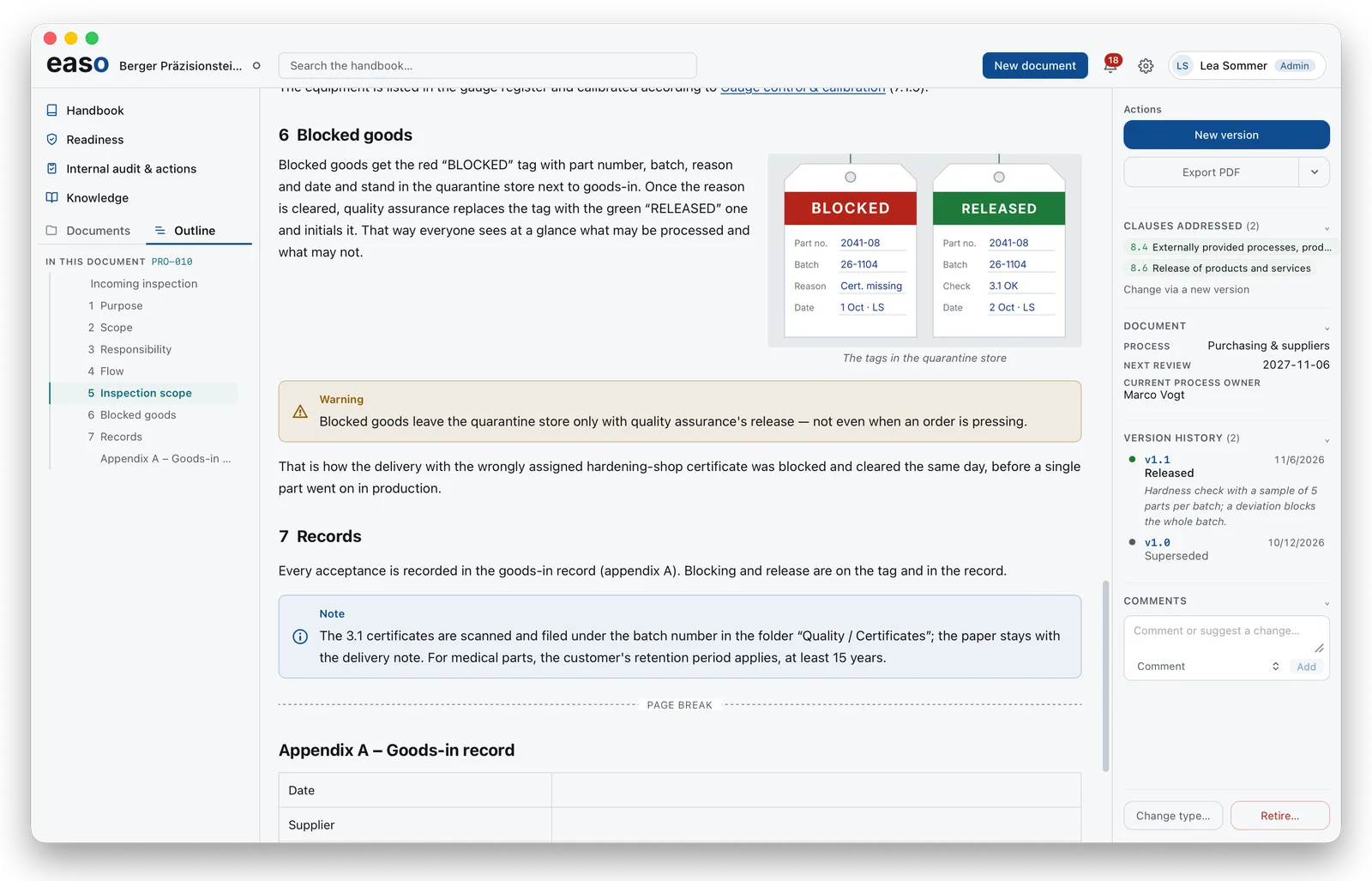
Finished documents faster — and every one of a piece
easo comes with a complete editor that takes the layout off your hands. You write; easo looks after numbering, spacing and layout. So every procedure looks the same, whoever wrote it, and your people find their way around each one at once. If you can use a word processor, you can use easo.
- Never number chapters by hand again. easo keeps count, even when you rearrange.
- Pictures sit where they belong — beside the text, at the right size, cropped right in the document.
- Forms people can actually fill in: fixed columns and rows, tall enough to write in by hand.
- What matters stands out. Note, warning and danger sit in boxes — clear even on a black-and-white print.
- One version, no hunting. Documents are written in easo, not in Word files making the rounds by e-mail.
Draw processes without learning a drawing tool
A flow diagram often explains more than three pages of text — and in easo it is quickly made: pick a starter, add steps, done. easo arranges everything itself, tidy and readable. No separate drawing program and no extra licence needed.
Who does what shows at a glance in the diagram with roles: every step stands in the column of the role that carries it out.
Be sure that what is released is what applies
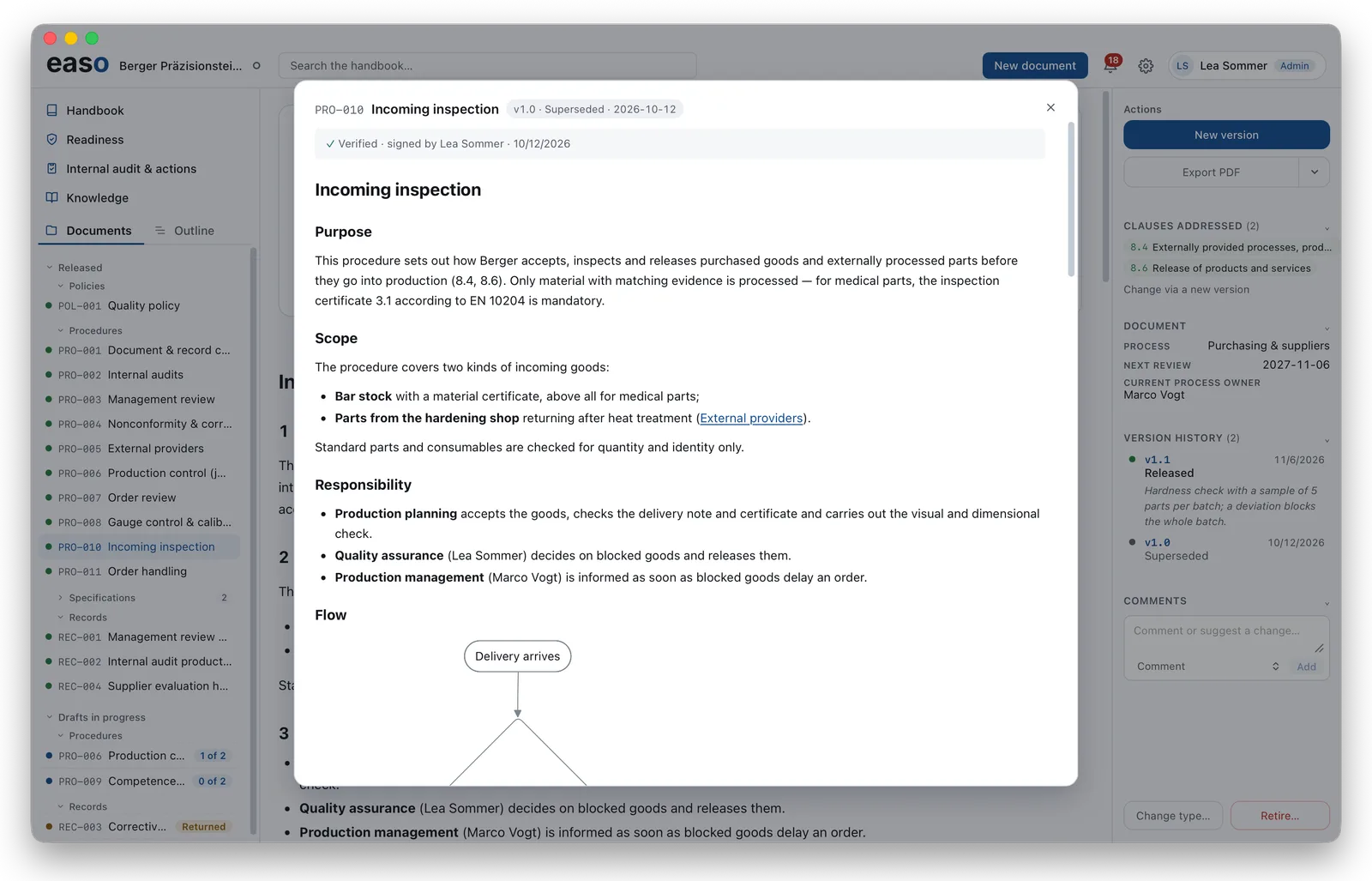
Nobody has to guess which version is current. Documents are released with signatures under the four-eyes principle, and after that nobody can change anything unnoticed.
- Review faster. Whoever releases sees exactly what changed — without rereading the whole document.
- The audit evidence is already there. Who released what and when is in the document, signed and verifiable.
- Nothing gets lost. Every earlier version stays readable and verifiable.
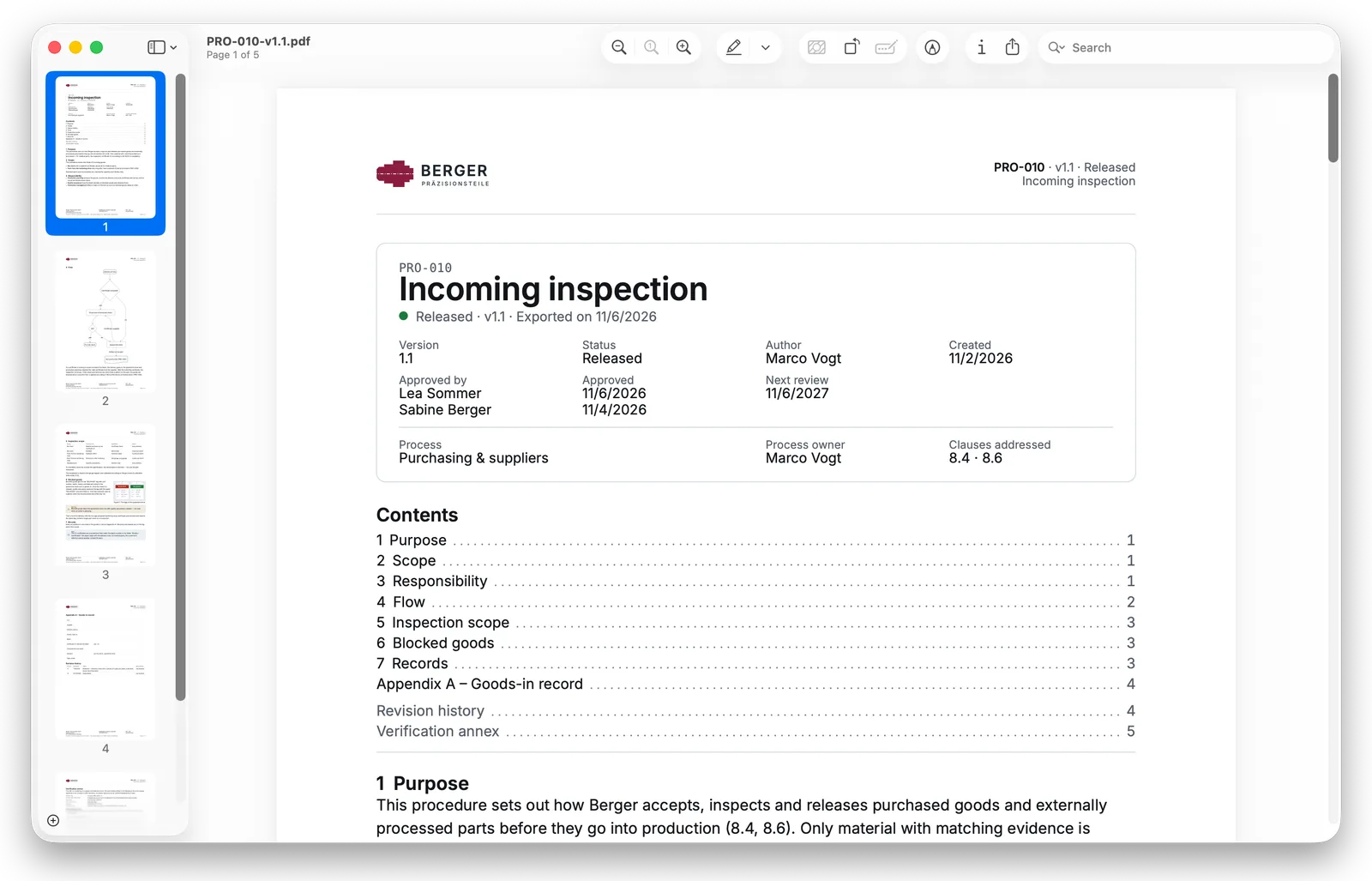
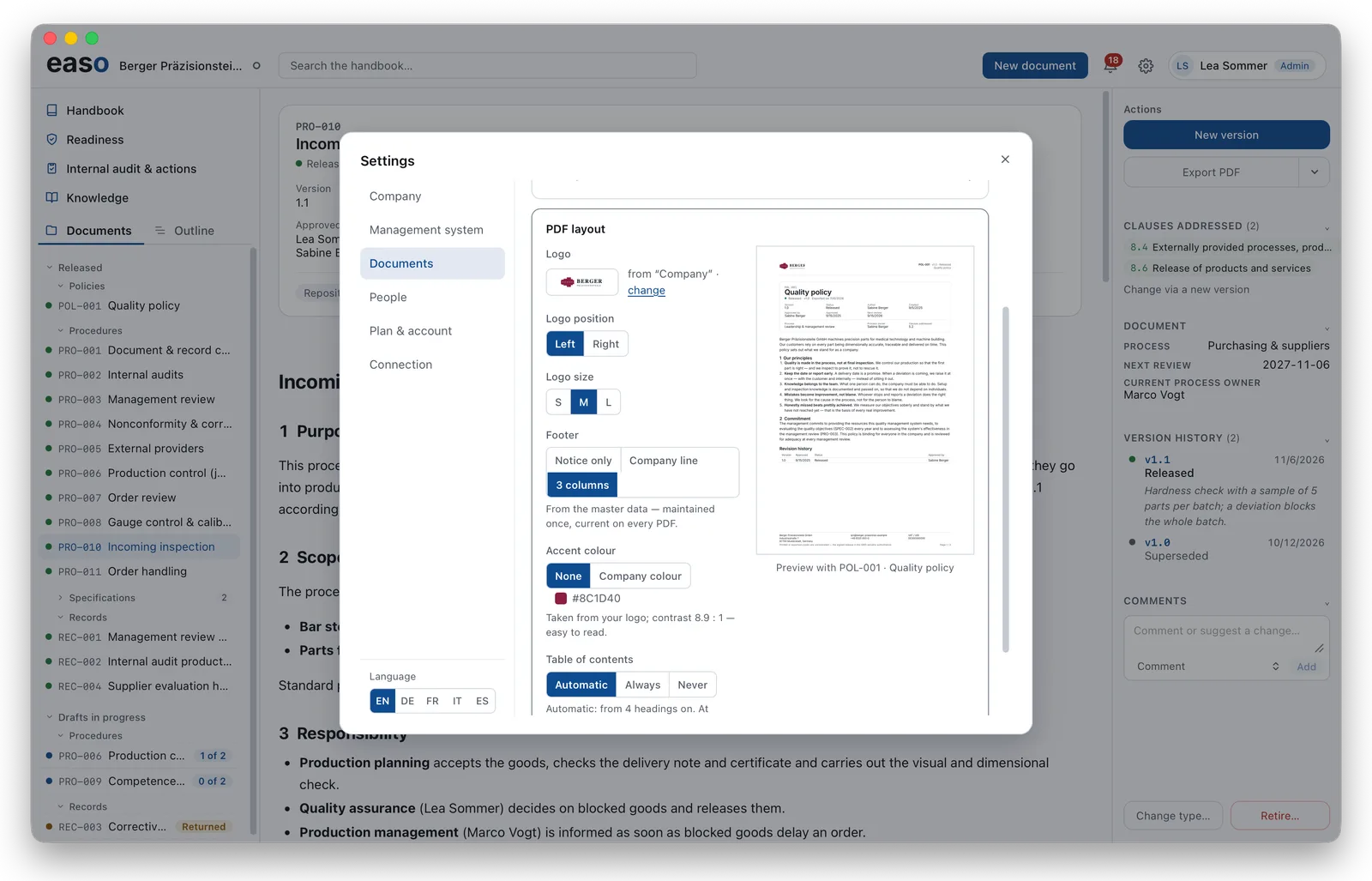
An appearance that convinces — with customers, in the audit, in the archive
What leaves your company looks like you: a letterhead with your logo, your company's details, a clear head card and a table of contents. Set it once and it applies to every document — no further layout work.
- Auditors and customers see at a glance which version applies and who released it.
- Fit for the archive for years: every PDF to PDF/A.
- Readable for everyone: accessible to PDF/UA wherever the document allows — easo tells you which picture still lacks a description.
- Verifiable without us: released documents carry an annex anyone can use to check the release themselves.
Two samples to download
- Incoming inspection — 5 pages, with a flow diagram, a form and a picture: English · German (PDF)
- Order handling — 3 pages, with a diagram by roles: English · German (PDF)
Both come from a sample company and are signed with its demo keys.
And in the long run: your documents stay yours
Under the surface every document is plain text (Markdown), stored with you — readable in any text editor, even without easo. You are never stuck with us.
Don't take our word for it. Try it.
-
Open the sample PDF
This is what a released procedure looks like. Incoming inspection (PDF)
-
Check a release without easo
The steps are in the PDF. How it works
-
Read what changes
Every version since launch is public in the changelog.
-
Write one yourself
On one device easo is free with no time limit — with the whole editor and the PDF export.