Manual · Chapter 1
Overview & cockpit
easo is organised into four areas, always within reach on the left: the Handbook (your documents), Readiness (your honest maturity figure), Internal audit & actions (the recurring duties) and Knowledge (the standard, explained). This chapter shows how they connect.
All screenshots show sample data from Berger Präzisionsteile GmbH — a fictitious company (CNC precision manufacturing, 12 people) used to show every easo feature honestly, open gaps included.
The handbook is a process landscape
Your entry point is not a file tree but your company's value chain (ISO 9001, clause 4.4): management at the top, the core processes as a chain from customer need to delivery in the middle, support below. Every process card shows how many documents are anchored there — and where none are yet. A new team member sees at a glance how the business works.
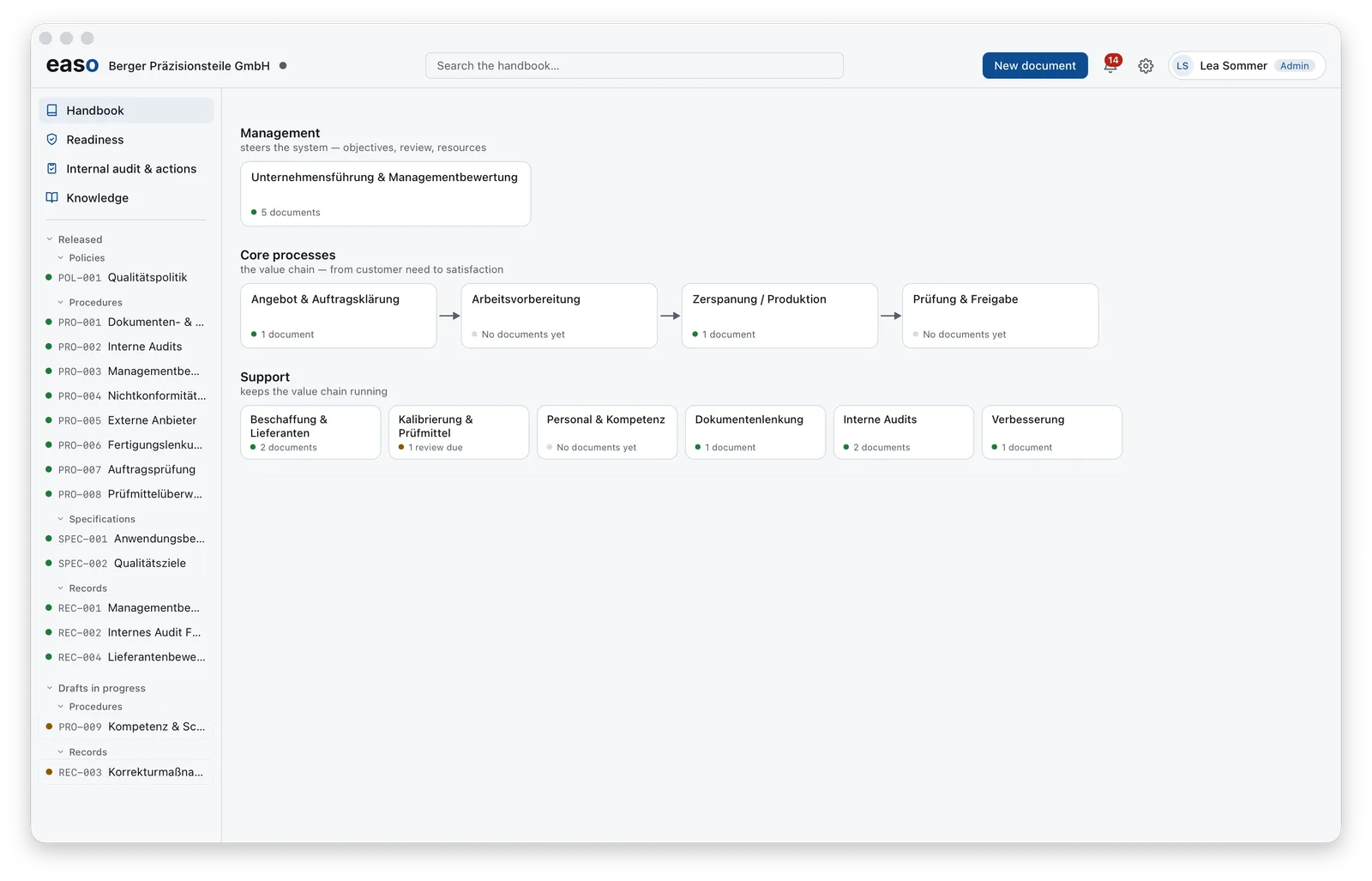
The document tree runs alongside on the left: released policies, procedures, specifications
and records (green dot), drafts in progress (amber dot). Every document carries a speaking
ID such as POL-001 or PRO-006. At the top you find search across
the whole handbook, the New document button and the bell.
The bell: what's due, without hunting for it
easo reminds you of the things that keep a QMS alive: open actions with owners and due dates, audits to plan, reviews coming up. One click on the bell shows the list — filterable to “only mine”.
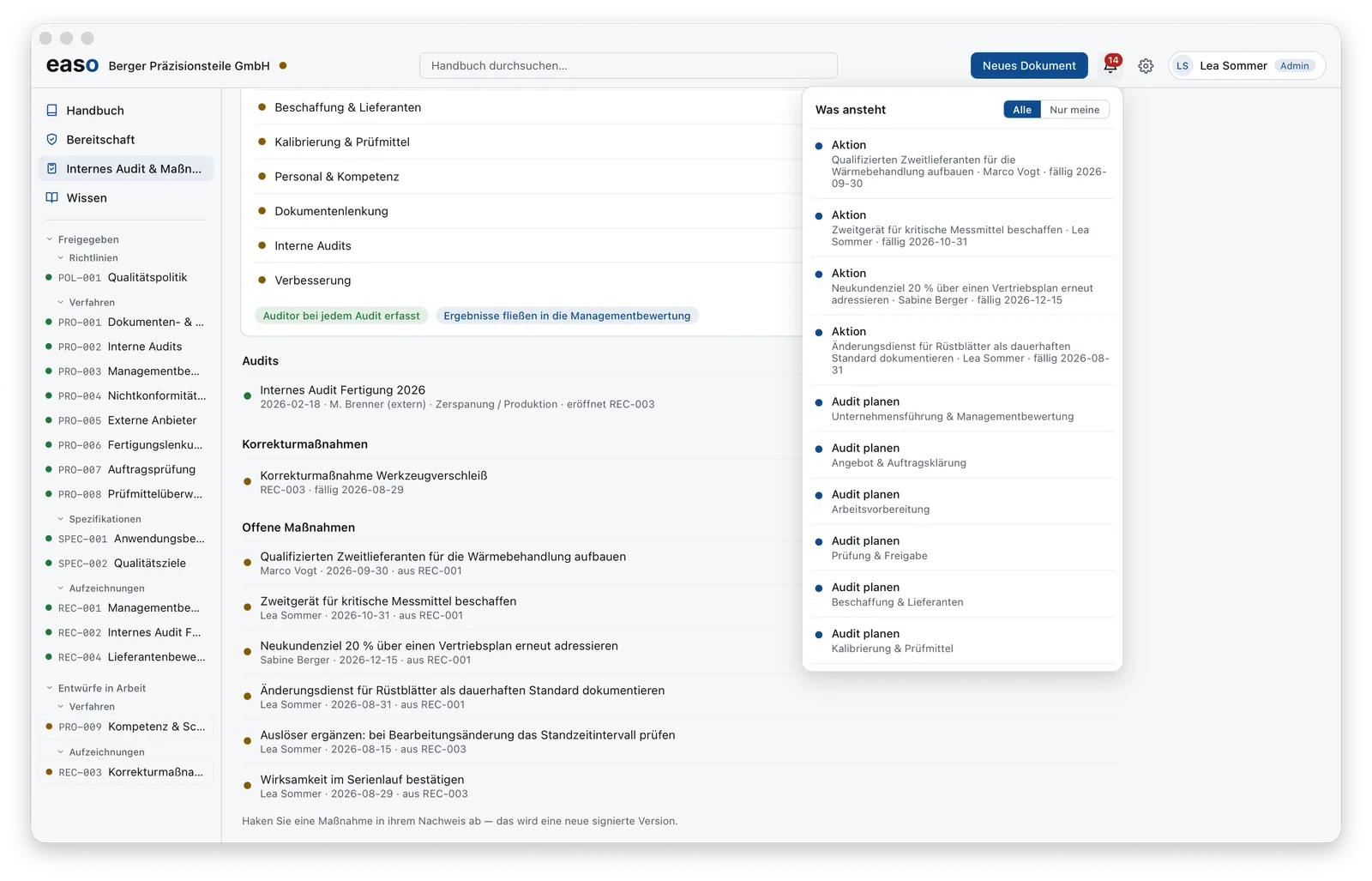
Knowledge: the standard, explained in the product
The Knowledge area is the clause book for ISO 9001: every clause explained in plain language — with the status of your own QMS right next to it. Wherever a document is needed, the list shows whether it exists and is released. Reading the standard and closing the gap become the same motion.
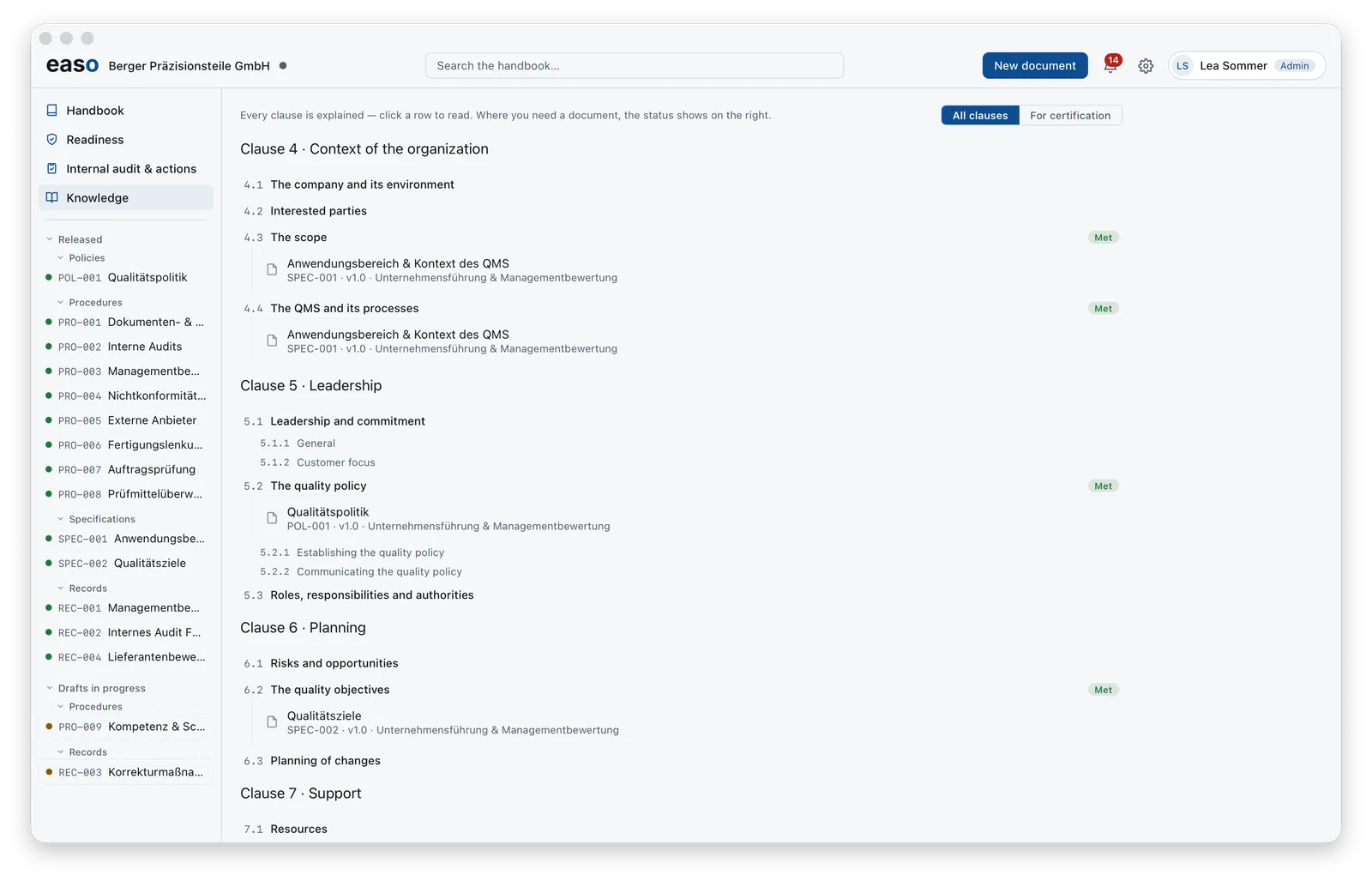
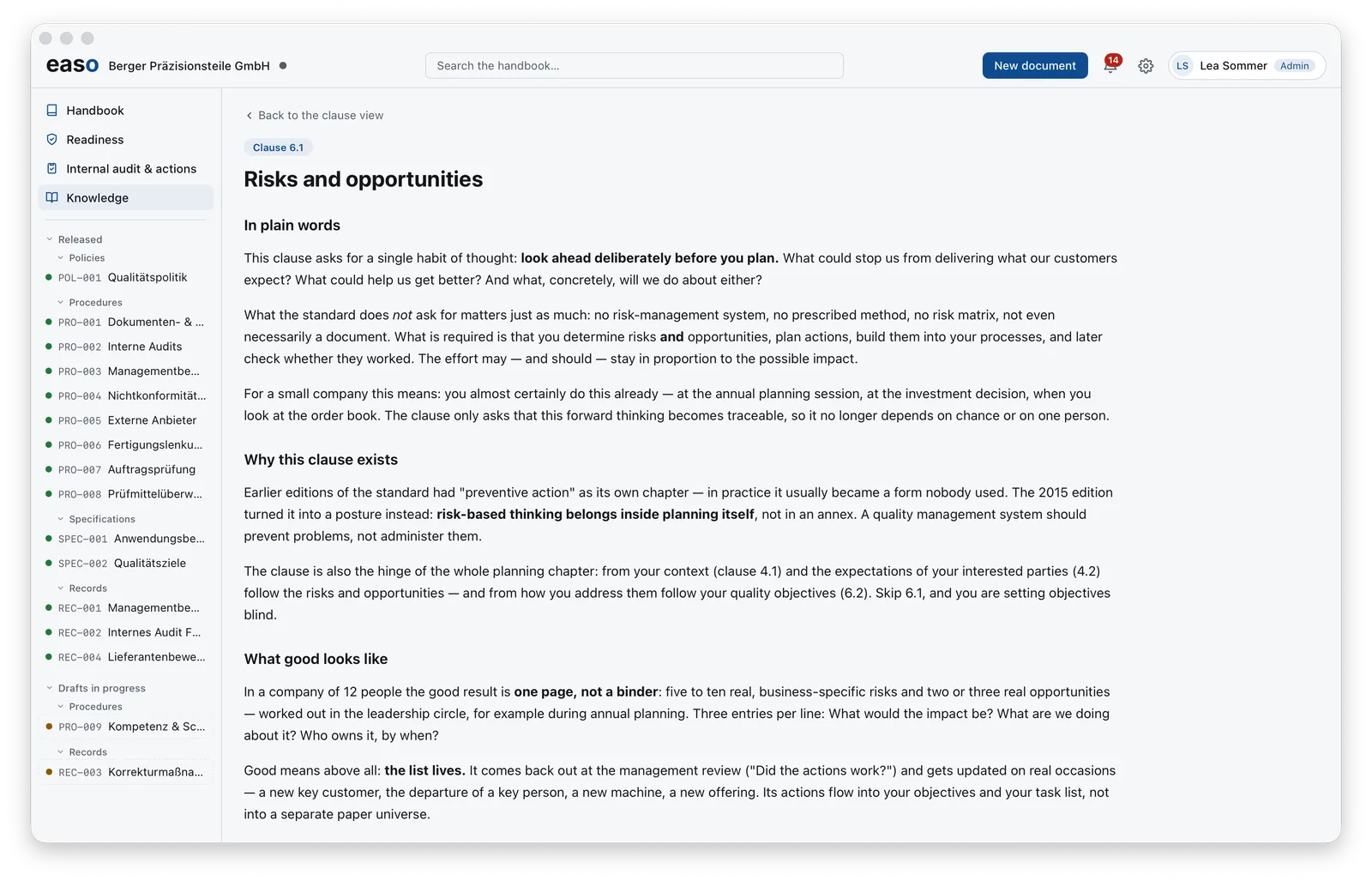
You'll find the same explanations here on the website in the knowledge section — inside the product they are linked to your own status.