Manual · Chapter 7
Export & evidence
In the end, what counts is what you can put on the table. easo exports every released document as long-term-stable PDF/A — with a title block carrying all control data, and a verification annex an auditor can check without easo.
All screenshots show sample data from Berger Präzisionsteile GmbH — a fictitious company (CNC precision manufacturing, 12 people) used to show every easo feature honestly, open gaps included.
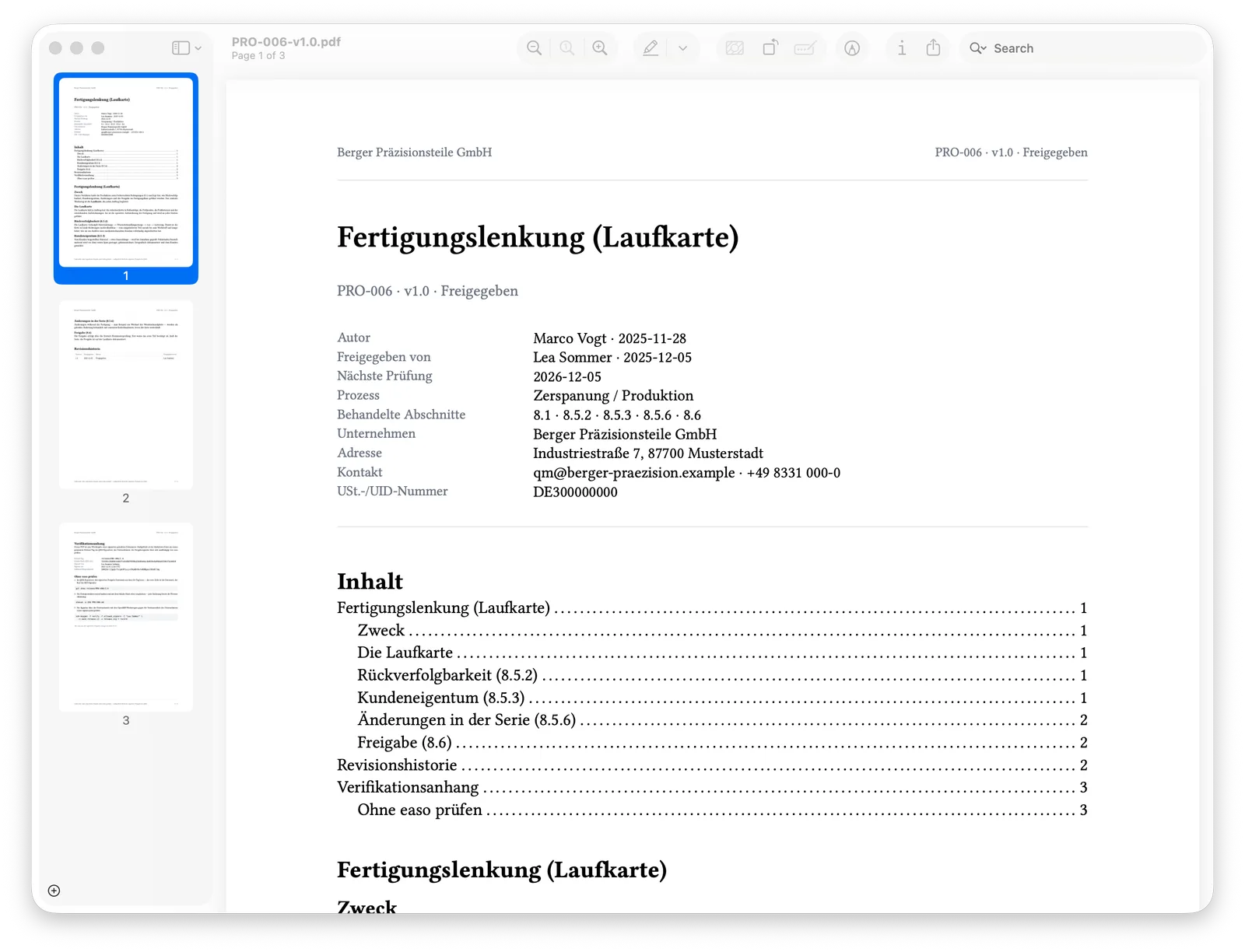
The title block: all control data on page one
ID, version, status, author, approver, next review, process, addressed ISO clauses, company details — everything a controlled document must state sits up front, followed by a table of contents. Headers carry the ID and status on every page.
The verification annex: checkable without easo
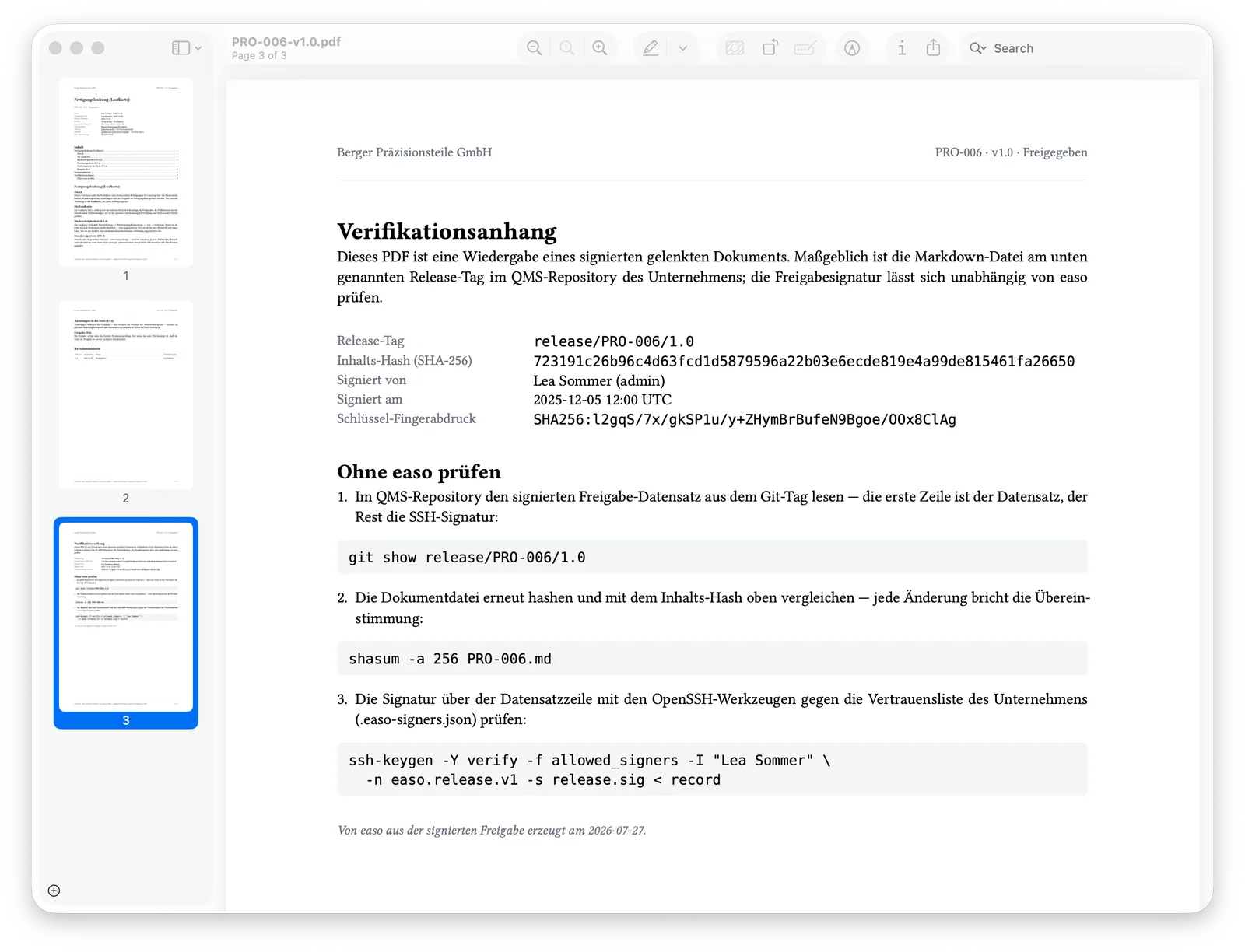
The last page discloses what the document rests on: the release tag in the QMS repository,
the SHA-256 content hash, who signed
when, and the key fingerprint. Below it, the “verify without easo” instructions — three
steps using standard tools (git show, shasum,
ssh-keygen). Your evidence doesn't depend on our product: that's
revision safety in practice.
See for yourself
The document shown is available here in the original — a real easo export PDF from the Berger sample QMS, signed with a demo key: