Manual · Chapter 8
Import & migration
Most companies don't start from zero. The import wizard brings your existing QMS files in — along two honest paths, with no silent data loss.
All screenshots show sample data from Berger Präzisionsteile GmbH — a fictitious company (CNC precision manufacturing, 12 people) used to show every easo feature honestly, open gaps included.
Two paths, chosen per file
Word, HTML, Markdown and text files are converted into editable drafts — flagged for review against the original before release. Everything else (PDFs, for instance) is taken over unchanged: easo creates a controlled document and preserves the byte-exact original as an attachment. Per file you set the type, the title and the previous number — your familiar IDs aren't lost.
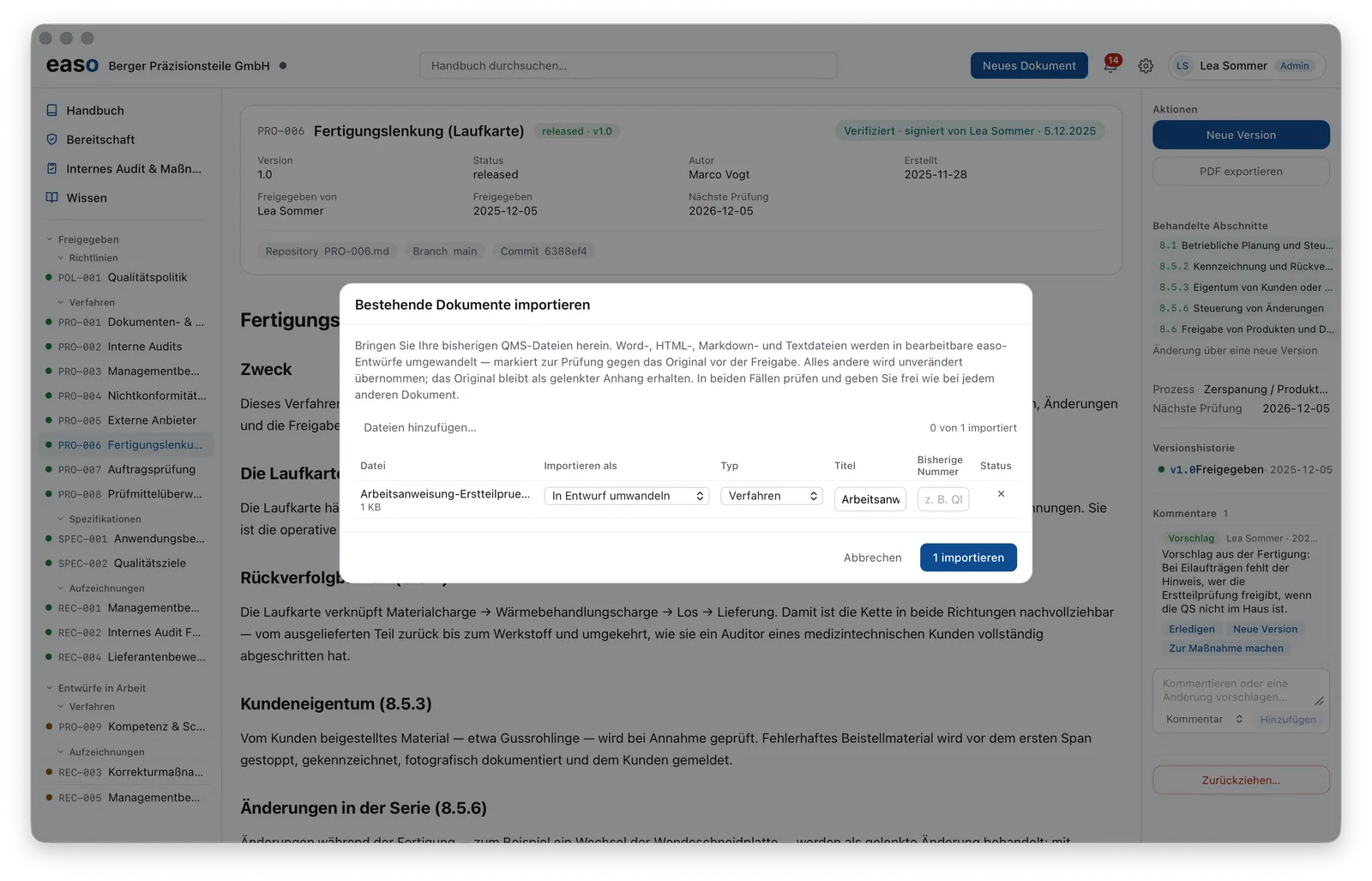
Imported content never becomes valid blindly: it goes through review and release like any other document.
The strategy behind it
How these two paths let you switch in a single day — take everything over first, then convert to living documents at your own pace — is described in detail on Migrating to easo, including the honest limits (no OCR, no connectors).