Manual · Chapter 4
Review & release
No document becomes valid “just like that”. Before release comes review: what changed, who drafted it, who approves it? The release itself is a cryptographic signature — and stays verifiable forever.
All screenshots show sample data from Berger Präzisionsteile GmbH — a fictitious company (CNC precision manufacturing, 12 people) used to show every easo feature honestly, open gaps included.
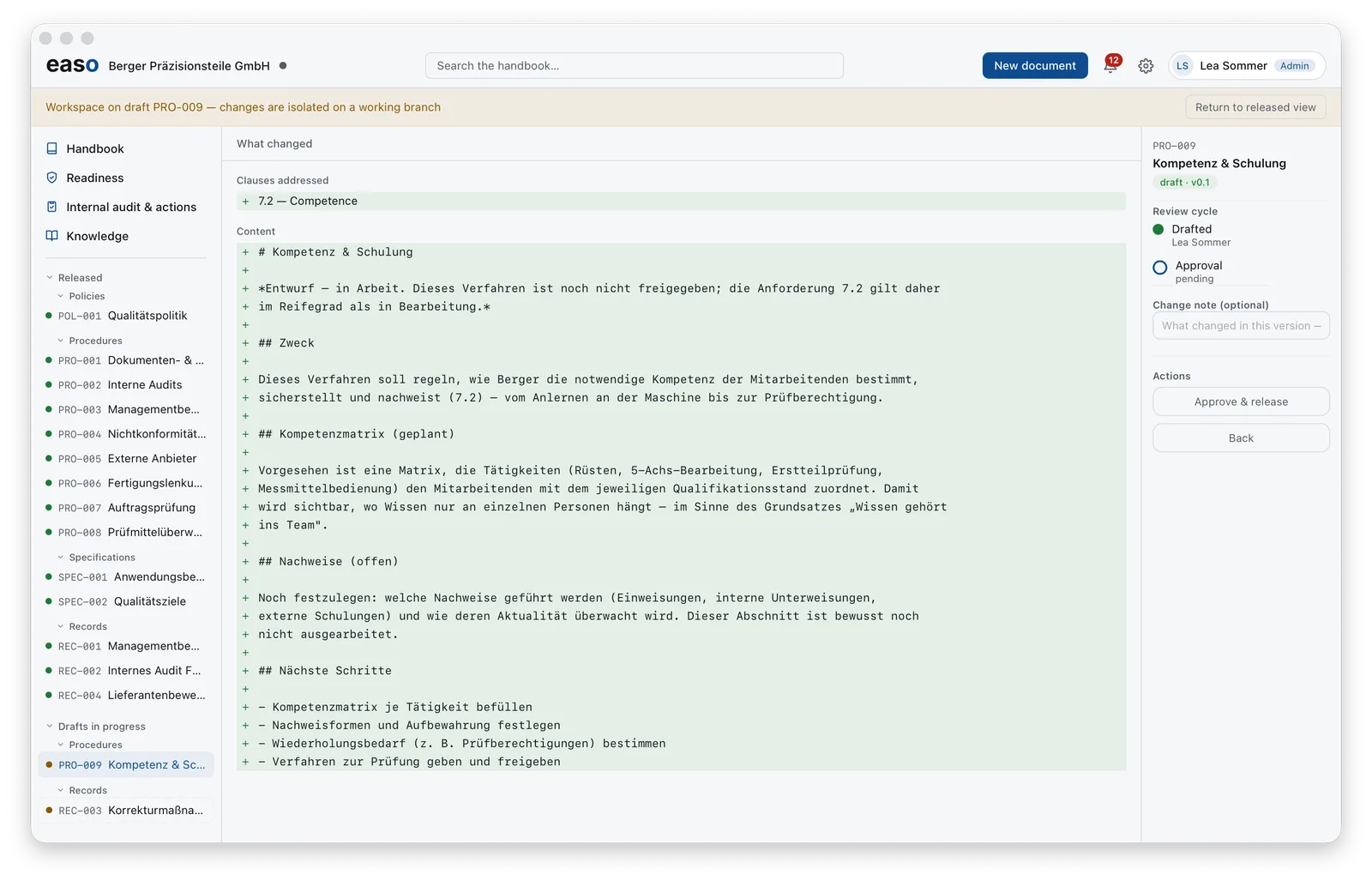
What changed, line by line
The review view shows the full comparison: every added or changed line, plus the newly addressed ISO clauses. The review cycle next to it records who drafted and whose approval is pending — the four-eyes principle is built in, not bolted on.
The release is a signature
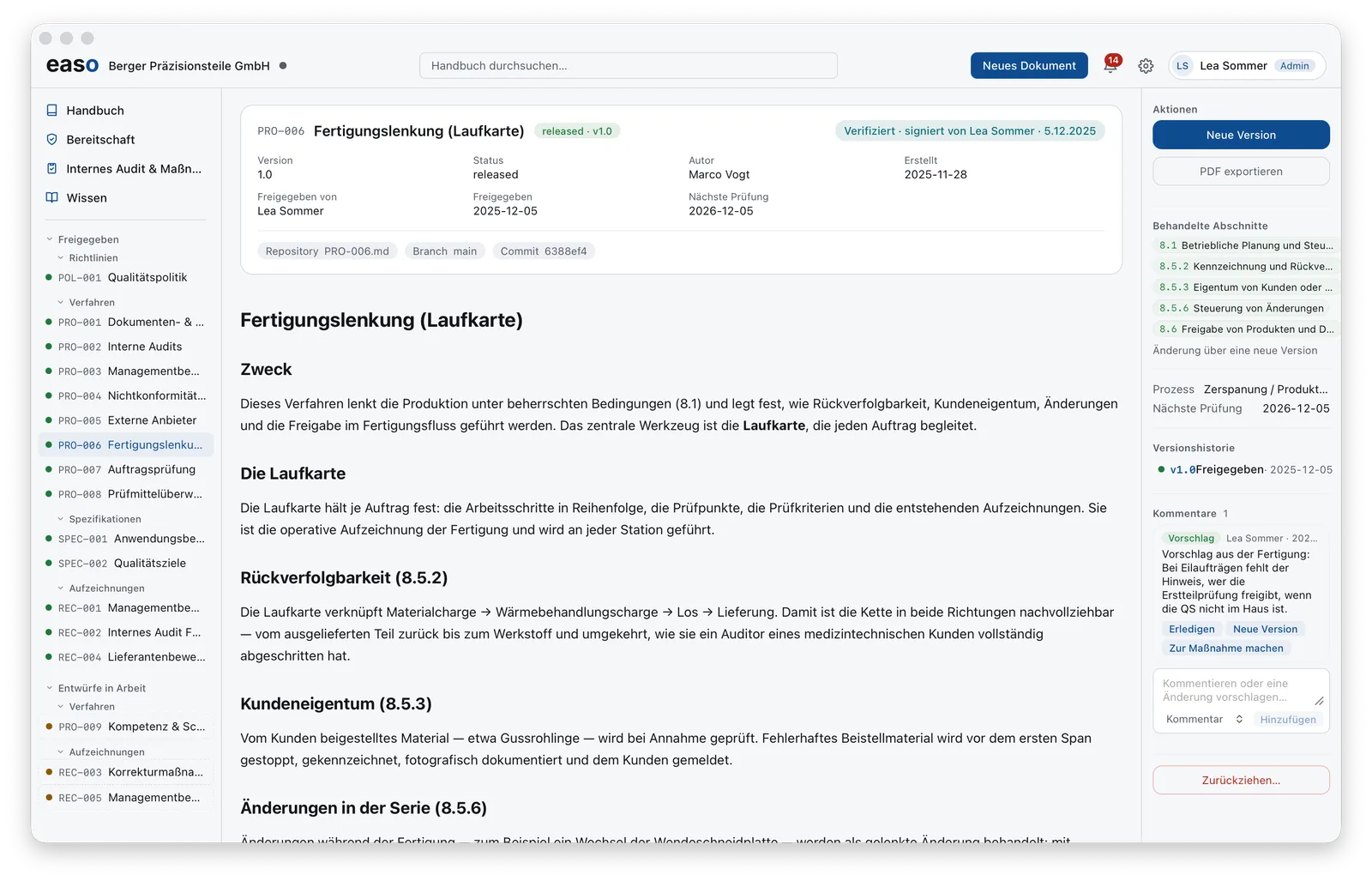
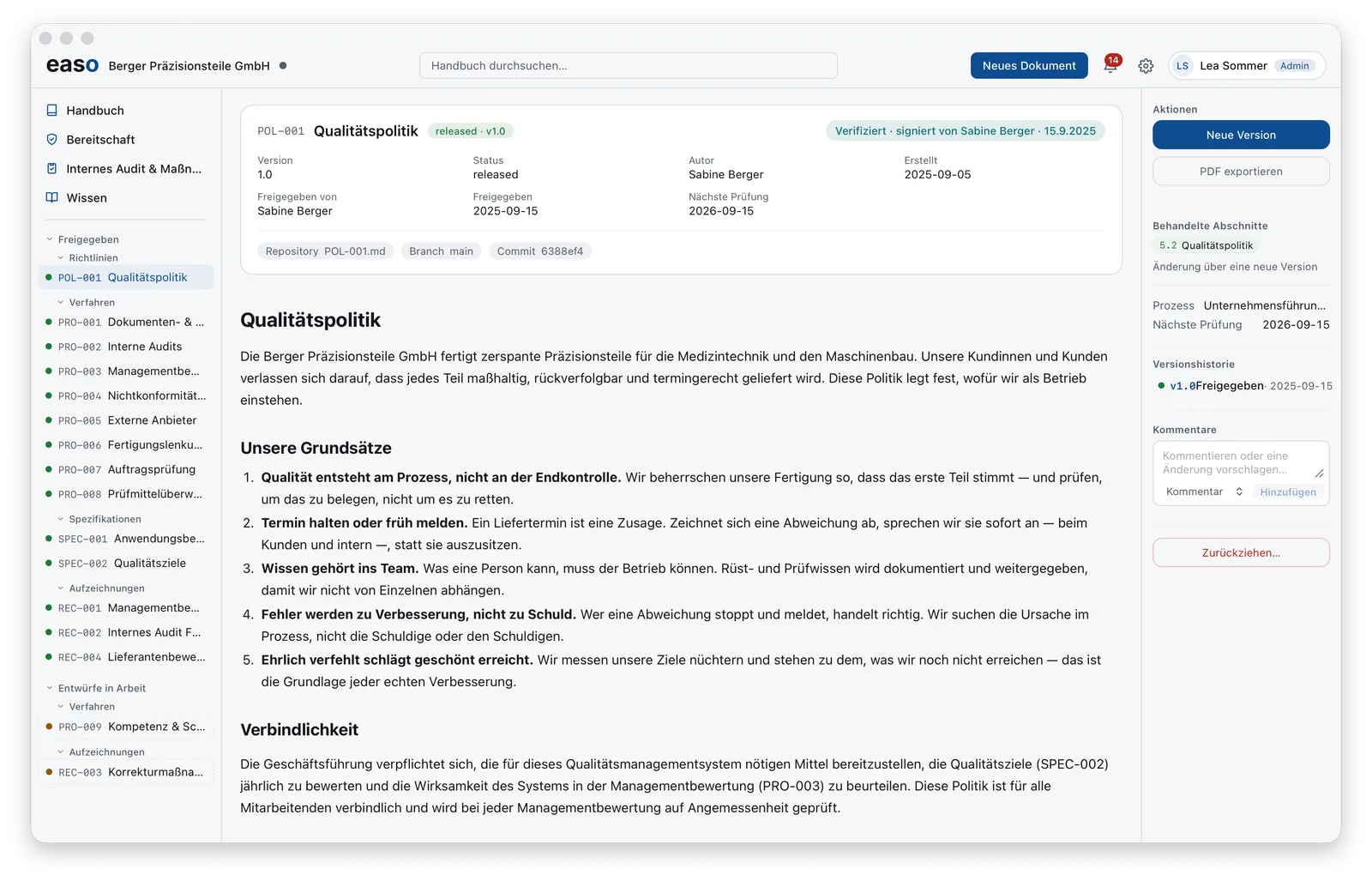
Approve & release turns the draft into a version — signed with the personal key of the approving person. The released document wears its seal visibly: verified · signed by …, along with version, author, release date and the next review due. The technical provenance is disclosed too: file, branch and commit in the repository.
What's behind the seal — hashes, keys, signatures — is explained in The digital fingerprint and Electronic signatures (eIDAS/AdES).
Comments become improvement
Whoever reads may object: every document accepts comments and change suggestions — from the shop floor, not just from QA. A suggestion can be turned directly into a new version or into an action. The improvement loop starts where the work happens.