Manual · Chapter 3
Create & edit
Writing happens in a calm editor — no markup language, no formatting chaos. And everything that isn't released yet stays honestly labelled as a draft.
All screenshots show sample data from Berger Präzisionsteile GmbH — a fictitious company (CNC precision manufacturing, 12 people) used to show every easo feature honestly, open gaps included.
The editor
Headings, lists, links, tables, diagrams, images — the toolbar covers what a QMS document needs, and deliberately nothing more. While you work, the bar at the top reminds you: your changes live in isolation on a working state and don't touch the released version. One click switches back to the released view at any time.
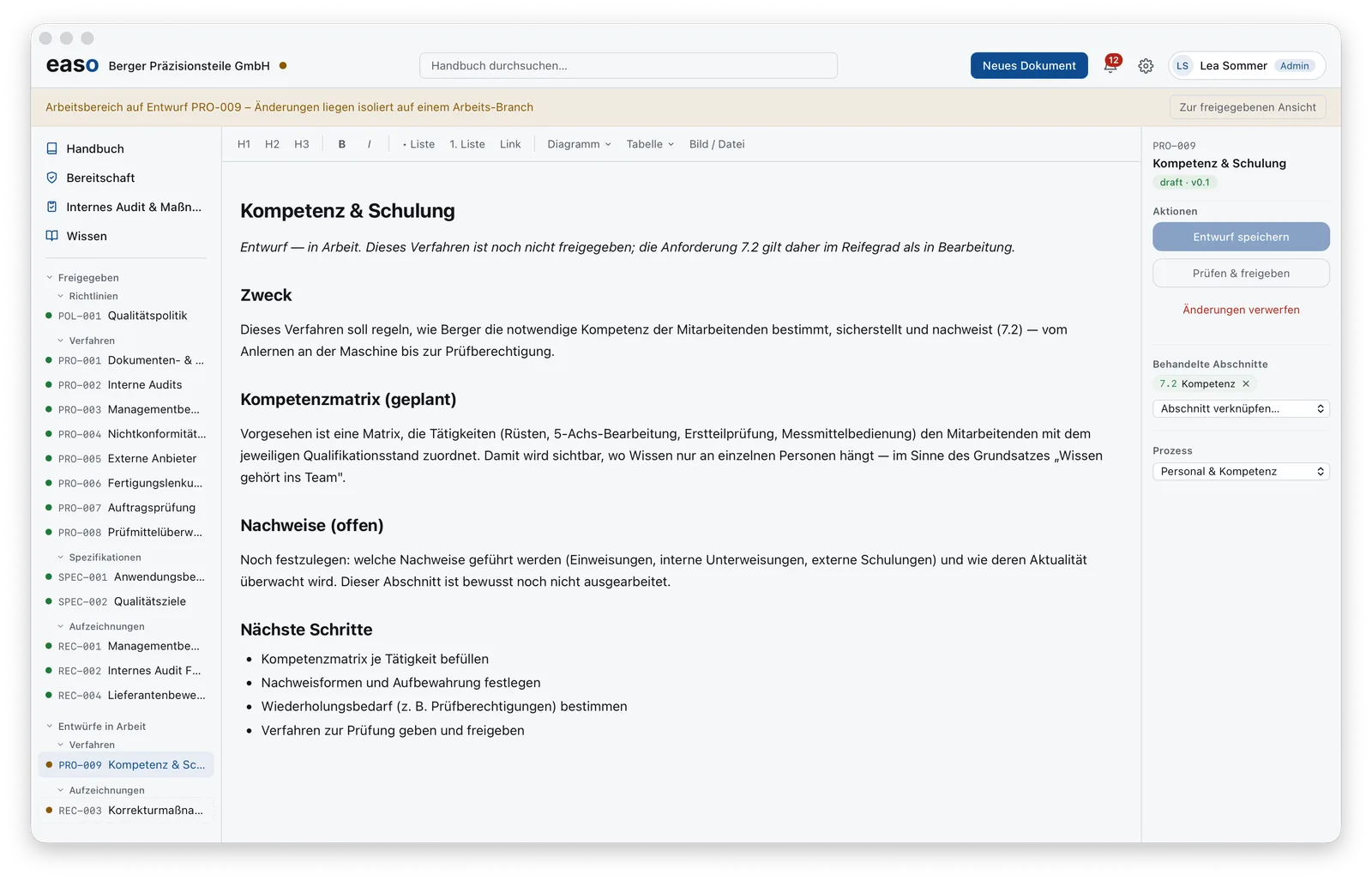
Drafts are honestly visible
A draft wears its label openly: draft · v0.1, no release date, no approver. The document itself may say what's still open — in the Berger example, the “evidence” section is deliberately not worked out yet. And that's exactly how it flows into readiness: the linked requirement 7.2 counts as in progress, not as fulfilled. No polished checkmark while the work isn't done.
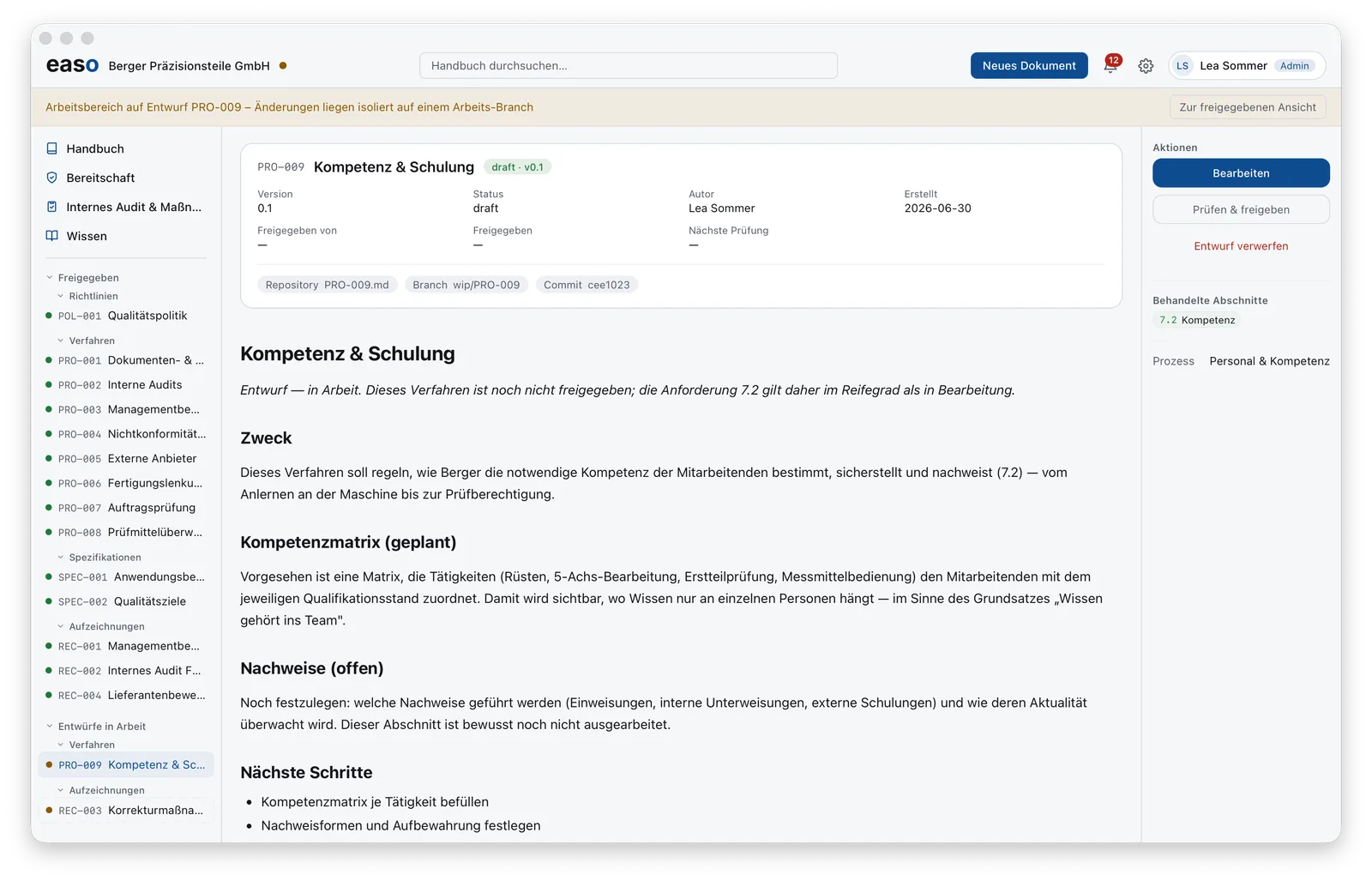
Every document is anchored, too: to the ISO clauses it addresses and to the process it belongs to. That's what powers the readiness view and the process landscape — with nothing maintained twice. How easo controls documents is explained in Document control with easo.